Awrora is built so that you only see what you use. The basics — calendar, bookings, experiences and customers — are always there. Everything else is apps that you install when you need them, and sales channels that control where your guests can book. The sales channels are described under Sales channels.
All apps work on every plan. Apps are installed and uninstalled by administrators.
Install an app#
Open Apps
Go to SettingsApps. You can also click the Apps heading in the sidebar.
Click Install
Under Apps you see the ones you can add. Click Install next to the one you want.
Open the app
The app appears under Active apps. Choose Open to go to the app's page, or Pin to sidebar to keep it close at hand.
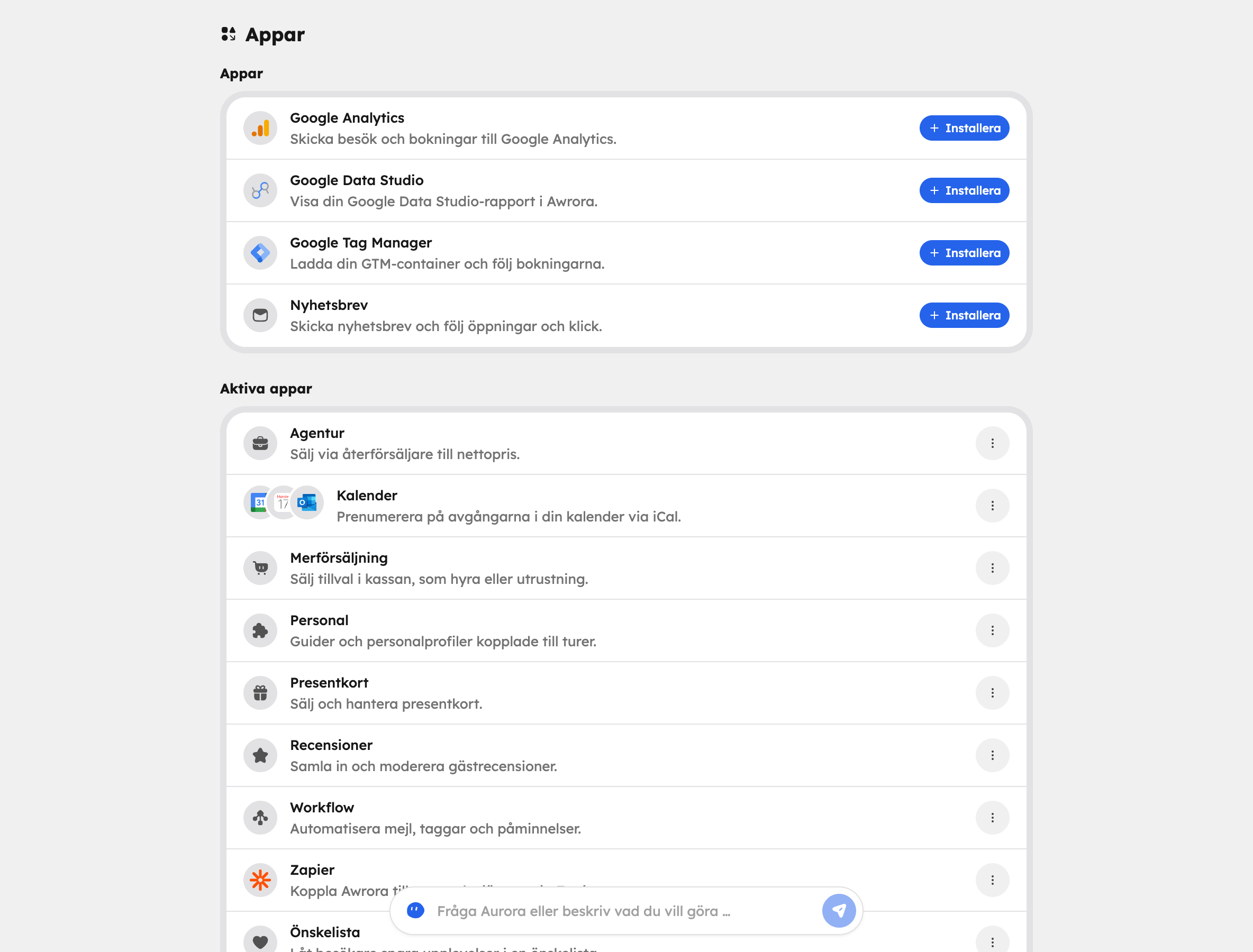
Which apps you pin to the sidebar is your own choice — your colleagues choose their own.
The apps#
| App | What it does | Read more |
|---|---|---|
| Staff | Guides and staff profiles linked to tours. | Staff |
| Agency | Sell through resellers at net prices and invoice them afterwards. | Resellers |
| Gift cards | Sell and manage gift cards. | Gift cards |
| Upselling | Add-ons at checkout, for example rentals or extra equipment. | Add-ons |
| Reviews | Collect and moderate guest reviews. | Reviews |
| Newsletter | Send newsletters and track opens and clicks. | Newsletter |
| Wishlist | Let visitors save experiences in the shop. Switched on from the start. | Wishlist |
| Calendar | Your departures in Google, Apple or Outlook via a link. | Calendar feed |
| Workflow | Automate emails, tags and reminders. | Workflow |
| Zapier | Automations with thousands of other services. | Zapier |
| Google Analytics | Send visits and bookings to your own Google Analytics account. | Google Analytics |
| Google Tag Manager | Load your GTM container and track bookings in GA4, Google Ads and more. | Google Tag Manager |
| Google Data Studio | Show your Google Data Studio report in Awrora. | Google Data Studio |
Uninstall an app#
Choose Uninstall next to the app under Active apps. The app disappears from the menu and stops showing its fields. Data that has already been saved is kept, so if you install the app again, everything is still there.
The exception is apps that connect an external service with their own key, such as Zapier: when you uninstall them, the keys are revoked and the connection is broken. See Zapier.
Once an app is uninstalled, neither you, your colleagues, the AI assistant nor other systems via the API can use it.
What's always there#
Some features aren't apps but are always included, depending on your plan:
- The AI assistant is available to everyone. How much you can use it depends on the plan.
- API and webhooks are under For developers at the bottom of the Apps page and are included from the Bas plan. See API keys.
Read more about what's included in each plan in Plans and billing.