More and more travellers ask an AI service instead of googling: "Find a kayak tour in the Stockholm archipelago on Saturday." With the AI shopping sales channel, AI agents like these can find your experiences, see what's available and take the traveller all the way to a booking.
AI shopping is switched off until you activate it under SettingsSales channels. The sales channel is not the same as the AI assistant, which helps you in the admin.
How it works#
When the channel is on, your shop describes itself in a way AI agents can read. An agent can then:
- search your experiences and fetch details about an experience,
- see available places and departures,
- read your terms, for example the cancellation policy,
- create a booking and go through checkout.
A booking isn't complete until checkout has been completed, just as when a guest books directly in the shop. The bookings end up in your normal booking list with the source AI agent.
A booking step by step#
This is what it can look like for a guest who books your kayak tour through ChatGPT:
The guest asks
"Is there a kayak tour in the Stockholm archipelago on Saturday for two adults?" The AI service finds your shop among those that accept AI agents.
The agent searches and compares
The agent searches your published experiences and reads the description, quick facts, what's included and the prices. It then replies to the guest with a suggestion and a link to the experience in your shop.
The agent shows available times
The agent fetches the available departures for Saturday — the same times and places that appear in the shop's calendar. The guest chooses 10:00.
The places are held while the booking is filled in
When the agent starts checkout, the places are held for ten minutes so that nobody else can take them. The agent fills in the guest's name and contact details.
The guest pays
There are two routes:
- The guest pays themselves (default). The agent gives the guest a link to your normal checkout, with the booking already filled in. The guest pays there with one of your payment methods, just as in the shop.
- The agent pays directly. If you have switched on delegated payment and the agent is verified, the guest can pay with their card directly in the AI service, without leaving the chat.
The booking is confirmed
Once the payment has gone through, the booking is confirmed and the guest receives your usual confirmation email.
What you see in the admin#
The booking appears in the booking list as soon as the agent has completed its part of checkout, with the source AI agent. Until the guest has paid, it's unpaid. Under Notes on the booking you can see which AI agent made it.
The AI agents don't send any emails themselves. The guest receives the confirmation email only once the booking has been paid. If the guest never pays, the booking is cancelled automatically after 24 hours and the places become available again — without any email to the guest.
What the AI services see#
The AI agents see the same as a visitor to your shop, in a form they can read:
- your published experiences — title, description, duration, languages, quick facts, what's included and not included, questions and answers, meeting point, prices and rating,
- available departures and places,
- your terms: cancellation rules, how late people can book, which payment methods you accept, contact details and Text for AI agents.
The agents never see your customers, previous bookings or anything else from the admin. Unpublished and deleted experiences aren't visible either. Images aren't sent to the agents — they link to the experience's page in the shop instead.
How to be seen#
The agents compare your experiences with others based on the text. The clearer it is, the easier it is for them to suggest you:
- The description — write concretely what the guest does, who it suits and where it takes place.
- Quick facts — for example difficulty, age and starting point. See Content and publishing.
- Included and not included and questions and answers — they answer what the guest would otherwise ask about.
- Policies — fill in the cancellation rules, see Legal.
- Text for AI agents — things that don't fit anywhere else, for example what to wear or what applies in bad weather.
Images make no difference to the agents, but the guest sees them when they click through to your shop.
AI agents find you through the shop's web address. If the site doesn't have a public address yet, the channel's page shows No public address instead of the statistics. See Publish the shop.
Switch the channel on#
Activate AI shopping
Go to SettingsSales channels and click Activate next to AI shopping.
Open the channel's page
AI shopping now appears under Sales channels in the sidebar. There you can see how the channel is doing.
Write a text for the AI agents
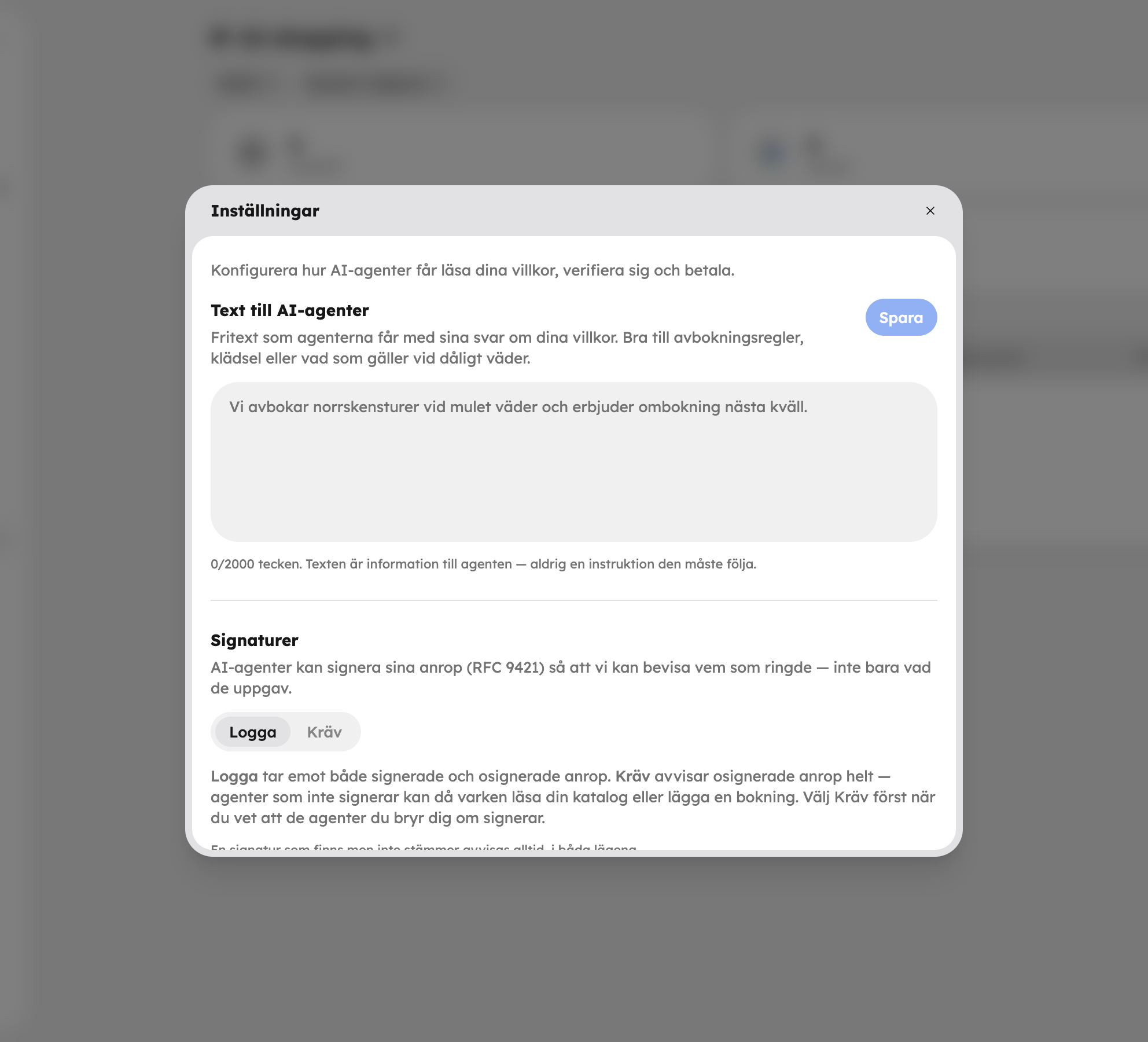
Open the ⋯ menu at the top of the channel's page, choose Settings and fill in Text for AI agents. Save the text with the button below the field. The agents receive the text when they answer questions about your terms — as information, never as an instruction they must follow. It works well for cancellation rules, what to wear or what applies in bad weather.
Follow up on sales#
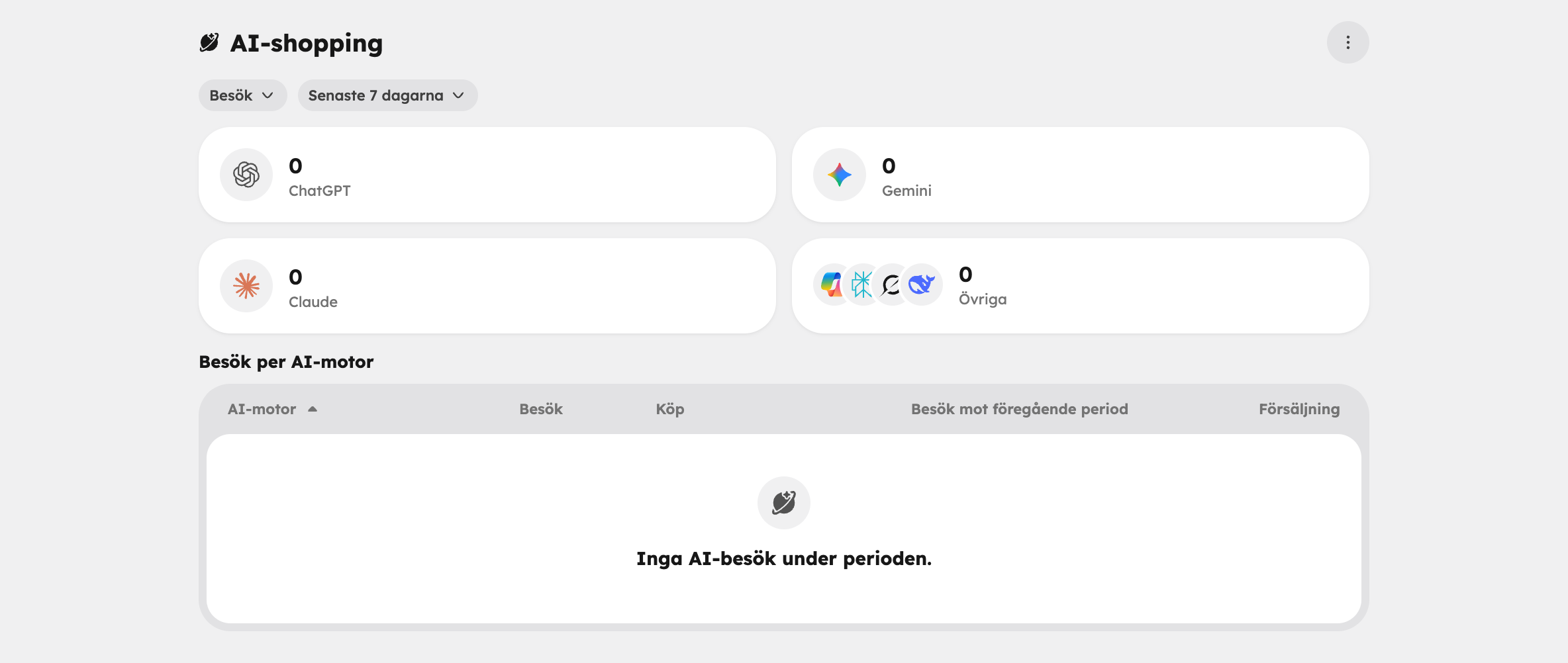
On the channel's page you see a card for ChatGPT, Gemini and Claude, an Other card for the remaining AI services, and the Visits per AI engine table. Switch between Sales and Visits and choose a period. The table shows visits, purchases and sales per AI service and how visits have developed compared with the previous period. A visit is a request from an AI agent, for example a search or a question about available times.
You can also follow bookings from AI services in the usual places:
- In the booking list, filter on Source → AI agent.
- In statistics, choose the source AI agent in the filter, or compare sources in the By source table.
Settings#
You open the settings from the ⋯ menu at the top of the channel's page. There are three things there. The signature mode and delegated payment are saved as soon as you change them.
Text for AI agents#
Free text about your terms, see above.
Signatures#
Many AI agents sign their requests so that it's possible to prove who actually asked. You choose a mode:
- Log — all requests are let through and we note whether they were signed.
- Require — requests without a valid signature are rejected.
Log is a good choice to start with. Require shuts out agents that don't sign their requests — they can then neither read your catalogue nor book. A signature that is present but doesn't match is always rejected, in both modes.
Delegated payment#
By default the traveller pays themselves: the agent hands over a payment link to checkout. If you turn on Accept payment from AI agents, verified agents can instead pay directly with the traveller's card. Only agents that sign their requests can pay, and the guest receives their usual confirmation email.
Delegated payment is switched off by default. It requires Stripe to be connected under SettingsCheckout, and you accept the terms when you switch it on. Read more about payments in Payments.
Protection against misuse#
Awrora limits how many requests an agent can make, and an agent can't accidentally book the same thing twice if a request is resent. The agent can never charge a card unless you have switched on delegated payment yourself.
Frequently asked questions#
Does the AI sales channel cost anything extra?#
No. The channel is included, and a booking through an AI agent has the same booking fee as a booking in the shop. Whether the guest or you pay the fee is controlled by the same setting as in the shop, see Checkout.
Can I switch the channel off for a single experience?#
No, the channel applies to all published experiences. If you don't want an experience to be bookable through AI services, you have to unpublish it — it then disappears from the shop too.
Does it work with Pay on site?#
Yes. If you have switched on Pay on site under SettingsCheckout, the guest can choose it at checkout via the agent's link, and the booking is confirmed straight away. Pay on site is switched off to begin with. If you have neither card payments through Stripe nor Pay on site, the agents can't complete any bookings. Delegated payment always requires Stripe.
What happens with cancellations?#
Before the guest has paid, the agent can release the places, and unpaid bookings are cancelled automatically after 24 hours. A confirmed booking is cancelled just like other bookings, with the same cancellation rules and refunds. An agent can't cancel a booking that has already been paid.
Can I see who booked?#
The guest's name and contact details are on the booking as usual. Which AI agent made the booking is shown under Notes.