Not every booking has to come through the shop. If a customer phones or sends an email, you can add the booking yourself. Capacity is recalculated immediately, so nobody else can book the same places.
Where to start#
You can create a manual booking from three places:
- The booking list — click New booking under Bookings. You choose the experience and time slot yourself.
- The customer card — click New booking on a customer under Customers. The customer's details are already filled in.
- The calendar — click a tour and choose Add guest. The time slot is already selected. You can't choose this action if the tour is fully booked or has already passed.
You need at least one experience to be able to add a booking, and the experience needs an upcoming time slot with places available.
Add the booking#
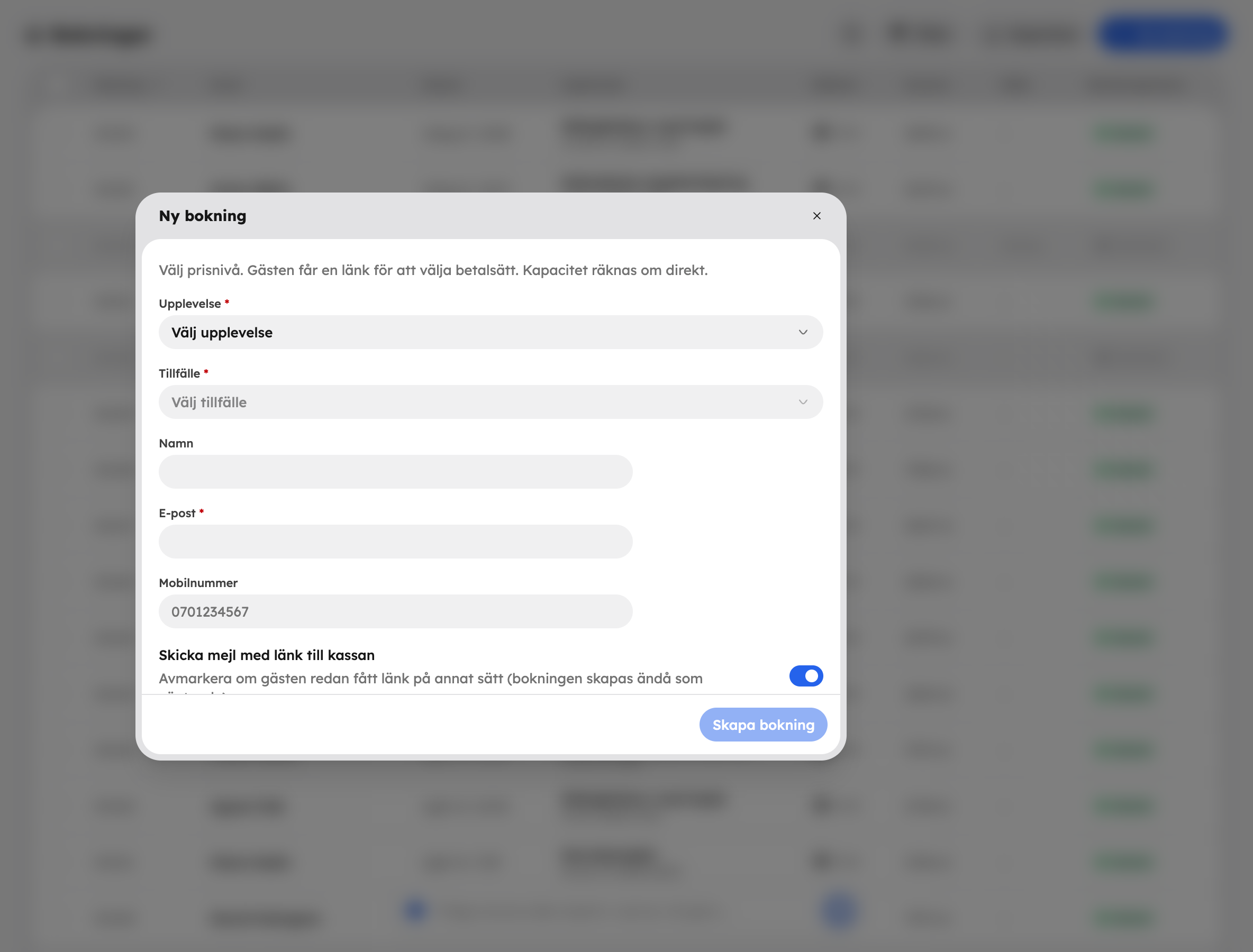
Choose the experience and time slot
Choose the Experience and then the Time slot. If you started from the calendar, it's already selected.
Choose the number of guests
Enter how many guests there are for each price level, for example two adults and one child. You'll see Price, Booking fee and Total update as you choose.
Fill in the customer
Fill in Name, Email and Mobile number. The email address is required, so that the guest can receive emails about the booking.
Choose whether the guest gets an email
With Send email with a link to checkout switched on, the guest gets an email with a link where they choose how to pay and then pay.
Save
Click Create booking — or Add guest if you started from the calendar. The booking appears straight away in the booking list and in the calendar.
What happens with the payment?#
A manual booking is created as Awaiting payment until the guest has paid. If you switch off the email — for example because the guest has already been sent a link some other way — the booking is still created, as pending.
Is the guest paying on the day? Open the booking once the guest has paid and click Mark as paid. See The booking card.
Book on behalf of an agency#
If you have the Agency app switched on, you'll also see the Booking for field. If you choose an agency instead of The guest, the net price in the contract applies, the booking is confirmed immediately and the agency is invoiced. Instead of a link to checkout, the option becomes Send booking confirmation. The agency needs to have invoicing set up for this to work.
Read more about agencies in Resellers.