With the wishlist, visitors can save experiences they're curious about and come back to them later. One click on the heart is all it takes — the visitor doesn't need an account.
The app works on every plan and is switched on from the start. You'll find it under Active apps on SettingsApps, where you can also uninstall it. Read more about apps.
How it works in the shop#
- The heart on experiences — every experience card in the shop has a heart. One click saves the experience, another click removes it.
- Save to wishlist — on the experience page there's a button that does the same, among the buttons in the page banner.
- The wishlist in the header — a heart in the shop's header shows how many experiences the visitor has saved and leads to the wishlist page.
The wishlist is stored in the visitor's browser, up to 50 experiences. So it doesn't follow them to another computer or phone, and it disappears if the visitor clears their browser.
You design the wishlist page like any other page in the web editor — choose Wishlist in the page picker.
The app page#
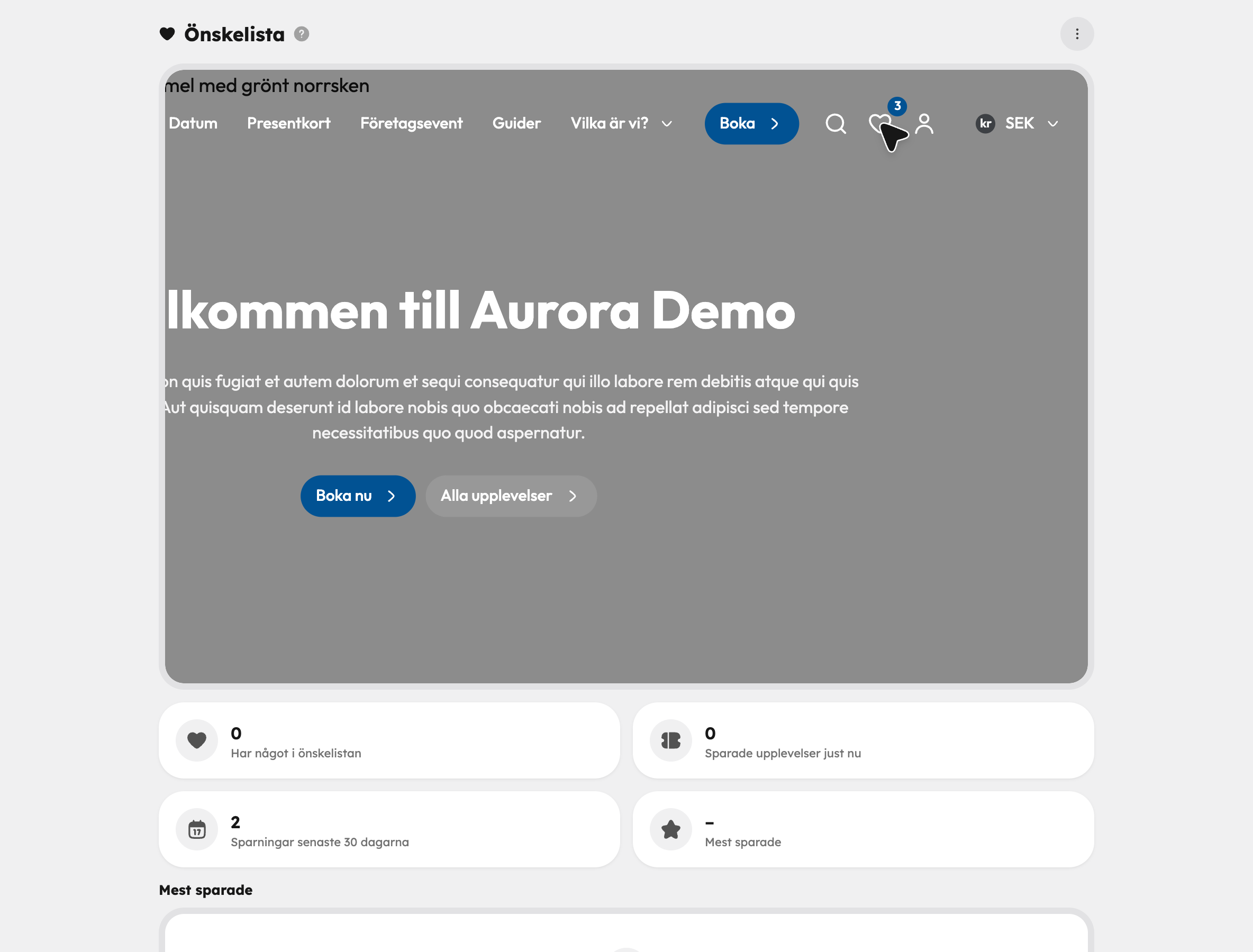
Go to Wishlist under Apps in the sidebar. At the top there's a demo of how the heart works on your own home page. Below it you'll see the statistics:
| Key figure | What it shows |
|---|---|
| Have something in their wishlist | How many wishlists contain at least one experience. |
| Experiences saved right now | How many experiences are saved, across all wishlists together. |
| Saves in the last 30 days | How many times something has been saved in the past month. |
| Most saved | The experience that is in the most wishlists. |
Below the key figures, the most saved experiences are listed with how many wishlists each one is in. It's a good way to see what visitors are interested in but haven't booked yet.
The statistics are anonymous: Awrora knows how many people saved an experience, but not who. Because a visitor who clears their browser doesn't tell anyone, the "right now" figures can end up slightly higher than reality.
If you switch off the app#
If you uninstall Wishlist, the hearts, the Save to wishlist button and the wishlist in the header disappear from the shop, and the wishlist page can no longer be reached. Visitors' saved experiences stay in their browsers and show up again if you install the app again.